

The Tools for Creating Images with Artificial Intelligence
In this article, the best tools for creating images with artificial intelligence available today, with practical examples and tips to start using them in your day-to-day work.
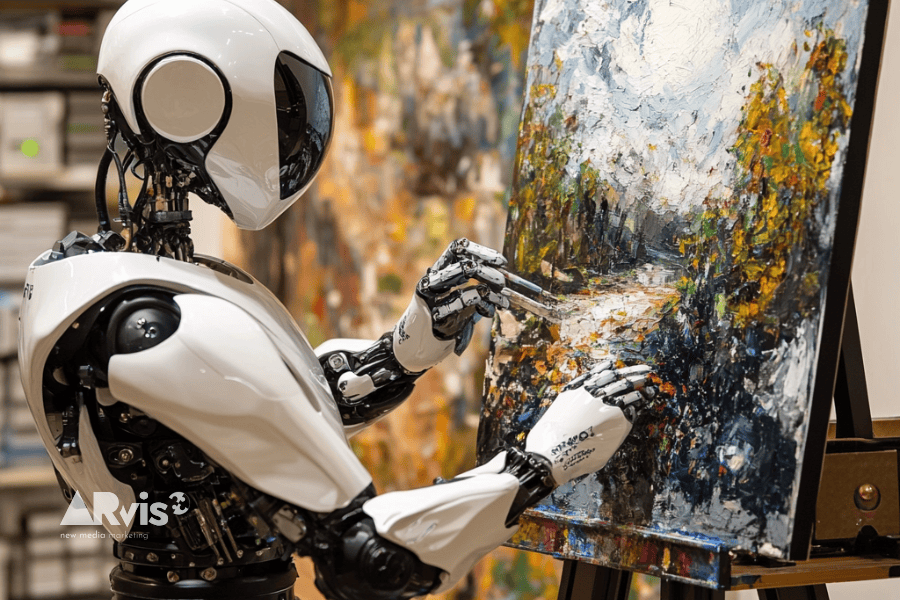
From simple graphic edits based on photos or works of art to creations entirely generated by AI starting from a prompt, it has now become possible to easily and quickly produce highly realistic or completely imaginative visual works with ever more powerful tools. It is a rapidly evolving world, and every day there are new tools and new experiments to discover and evaluate. Let’s take a look at what is currently available.
Table of Contents
What is generative AI for images?
Generative AI is a technology that uses deep neural networks to create original images from a text (text-to-image) or from a base image (image-to-image). Through training on enormous datasets of images, these tools are able to interpret users’ requests and produce astonishing visual results. Needless to say, human operational input remains essential.
The best tools for creating images with artificial intelligence
AI applied to visuals is particularly useful for creating unique illustrations for marketing campaigns, for brand design and storytelling images, and for producing visual prototypes that help present innovative concepts or ideas to clients and partners. Let’s look at the best tools for bringing these projects to life.
1. MidJourney
MidJourney is an extremely popular tool for image generation, particularly appreciated for its artistic style and imaginative creations, perfect for visual storytelling or video game graphics. But with a good prompt, it can also produce highly realistic and detailed photographic images.
Key features:
- Generation of artistic images with sophisticated detail.
- Ideal for branding projects or concept design.
- Large Discord community for sharing creations and tips.
2. DALL-E 2
DALL-E 2, developed by OpenAI, is one of the most advanced text-to-image tools on the market. It allows you to create extraordinary images from simple text descriptions, ideal for presentations or creative projects.
Key features:
- Generation of realistic or artistic images.
- Editing of existing images, adding details or removing elements.
- Support for different styles, such as photographs, illustrations, or paintings.
3. Canva Magic Studio
Canva, the well-known graphic design platform, has introduced the Magic Studio feature, which integrates artificial intelligence to create images and visual content quickly. Particularly suited to marketing, this tool is used above all to generate images for social media posts or to create visually striking graphics for an advertising campaign.
Key features:
- Accessibility for non-expert users.
- Perfect for social media, presentations, or business projects.
- Built-in editing features to refine your creations.
4. Stable Diffusion
Stable Diffusion is an open-source solution that enables the creation of images starting from a text or a base image, well suited for turning an initial sketch into a detailed image or generating a more stylized version of a photo.
Key features:
- Greater control over image details and edits.
- Option for local installation for advanced projects.
- Extensive customization thanks to its open-source nature.
5. Runway ML
Runway ML is an advanced tool for design professionals that combines artificial intelligence and animation. With this tool, you can turn a simple static image into an animated video, adding motion to a scene or visual details.
Key features:
- Creation of videos and images.
- Editing of photos and images with artificial intelligence.
- Dynamic visual productions and multimedia projects.
How to use the tools for creating images with artificial intelligence starting from a prompt?
Creating images with AI is simple, even though it requires a few precautions.
1. Key elements to include in the prompt
- Main subject: Specify the main subject of the image (e.g. “a cat”, “a futuristic city”, “a natural landscape”).
- Environment or setting: Describe the place or scene where the subject is located (e.g. “in a forest”, “on a neon-lit runway”).
- Specific visual details: Indicate colors, materials, textures, or artistic styles (e.g. “with metallic details”, “lit by the golden light of sunset”, “in watercolor style”).
- Atmosphere or emotion: Convey the tone of the scene (e.g. “relaxing atmosphere”, “mysterious setting”, “joyful and bright scene”).
- Action or behavior: Specify what the subject is doing (e.g. “walking along a path”, “looking at the starry sky”, “holding a book in its paws”).
2. Useful verbs for building the prompt
Using precise verbs helps the AI better understand the desired action or context. Some examples of effective verbs include:
- Positioning: “sitting on”, “standing on”, “leaning against”.
- Action: “walks”, “flies”, “observes”, “paints”, “plays”.
- Description: “surrounded by”, “lit by”, “framed by”.
- Visual appearance: “decorated with”, “wearing”, “made of”.
3. Recommended prompt structure
- Introduction of the main subject: Start with a short phrase that identifies the subject along with its main characteristic (e.g. “A majestic grey wolf”).
- Description of the environment: Explain where the subject is located and add details about the setting (e.g. “on a snowy hill under a starry sky”).
- Specific details: Indicate relevant features (e.g. “lit by the light of the moon”).
- Style or artistic inspiration (optional): Specify the graphic style, if you want to achieve a kind of painting (e.g. “in a realistic style”, “like a watercolor painting”).
4. Prompt examples
Generic requests such as “A tree”, “A landscape”, “A robot”, “A cat” will always produce results, but they will rarely match the idea you have in mind. Indeed, each of the tools we have seen responds to any request with a creation based on the data it has available. As a result, the final creation will be the most “common” one, the most obvious and widespread on the web, in short.
More detailed prompts, such as: “A large oak tree with golden autumn leaves, placed in the center of a green clearing, lit by the golden light of sunset, in a futuristic style” or “An autumn mountain landscape with a crystal-clear lake surrounded by trees and lit by the golden light of sunset” or “A black-and-white humanoid robot with metallic details, standing on the walkway of a futuristic city, lit by blue and purple neon lights” or again “A Siamese cat sitting on a vintage sofa lit by soft light coming through a window in the background and surrounded by mirrors”.
Detailed prompts give the AI the characteristics of the desired scene and, consequently, improve the quality and accuracy of the generated images. But are the results obtained always the ones we wanted, the ones we had in mind when writing the prompt? We will talk about this in another article.
Gaining experience using artificial intelligence tools to create images
Tools for creating images with artificial intelligence are changing the way we work in design, marketing, and visual communication and, as a result, they are also partly influencing our creative abilities, sometimes even stimulating them.
To make the most of their potential, however, it is essential to learn how to use them correctly, because these tools expand creative possibilities, allowing you to experiment with styles, colors, and concepts that would be difficult or costly to produce manually, but only provided you know their secrets. Otherwise, you risk stumbling upon nothing but banalities.
AI also offers many significant advantages in terms of time savings. Creating images from scratch can be a long and complex process, but with AI it becomes much faster and more accessible. It follows that integrating AI into your workflow also allows you to increase productivity, freeing up time to focus on more strategic, value-added activities.
Indeed, the combination of human creativity and technological automation makes AI an ideal tool for your visual projects, once you have chosen the right tool. Learning to master AI means gaining a significant competitive advantage in a world increasingly oriented toward creative automation. This is why at ARvis.it we offer personalized consulting as well as tailor-made courses to integrate AI into your work. You can find an example here.
Related service: discover AI-gmented Solutions by ARvis — the agency that scales with you.