


How to make a website secure? The 3 minimum rules
How do you make a website secure? There are at least three rules to follow, along with a few best practices that can improve and strengthen the protection of your website.
The professional website is the first step to bringing your business online. Having a website forms the foundation of your online presence and visibility, which is essential for growing a business in an increasingly digital world. But having an online presence also means being aware of the security threats that come with it.
It is important to understand, in fact, that having a website also means being at risk of malicious attacks. Just as a physical shop or store can be targeted by theft and vandalism, the same can happen, often in an even more insidious way, to a website. For this reason, it is important to adopt the appropriate measures needed to protect your website.
The word “appropriate” is the key to everything. No website can be 100% impenetrable: it is impossible.
Just as a physical shop uses reinforced windows and strengthened shutters, a website can be made more secure and more resistant to attacks. However, if the attacker has the right resources, no defense will hold. Exactly like physical shops, which are secure against most common break-in attempts but are still vulnerable to attacks by break-in specialists.
By website security we mean strengthening a website’s protections against harmful attacks, data breaches and other cybersecurity threats.
Making a website secure involves implementing various security measures, such as firewalls, antivirus software and encryption protocols. In addition, it is necessary to educate both staff and users on the importance of website security.
Table of Contents
Types of website threats
To make a website adequately secure, you first need to understand the risks you may have to deal with.
The idea at the heart of cybersecurity, in fact, lies precisely in knowing the possible attacks and your own vulnerabilities. Only in this way will it be possible to put in place an information security plan capable of protecting your business.
When it comes to website security, there are several types of threats you need to be aware of. The most common include
1) Malware: malware is malicious software that infects a website and causes it to malfunction, jeopardizing the safety of sensitive data and information. In everyday language they are called viruses.
2) Hacking: a hacker attack is an attempt to gain unauthorized access to the data or code of a website. Hackers are not necessarily malicious; in fact, most of them contribute to the advancement of technology, but the press commonly uses the term hacker as a synonym for cybercriminal. Malicious hackers attempt illegitimate access with the aim of stealing sensitive information, extorting data to then spread it online and demand a ransom. In addition to the risk of causing serious financial losses, a hacker attack is also a danger to the company’s reputation.
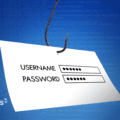
3) Phishing: phishing is an attempt at online fraud in which, through emails or messages that appear to come from a legitimate source, criminals try to steal sensitive data from the user.
4) Denial of Service (DoS): DoS attacks are a type of cyberattack that attempts to make a website or network unavailable by flooding it with an excess of traffic or requests.
How to make a website secure: here are the 3 rules
In the face of these types of cyber threats, it is necessary to take the right security measures to protect your website. Website protection is essential for running a successful online business.
A website is secure if all the processes for protecting it against every type of harmful and unauthorized attack are well designed and configured. Complete website security consists of a combination of different measures, including technical security measures, such as firewalls and antivirus software, and non-technical measures, such as user education and awareness.
Three minimum rules can be established for making a website secure.
1) Constant software updates
The first step is to make sure that all software is up to date. This means that the hosting and servers on which the site relies must be periodically updated, as well as the operating system and all the applications and plugins in use.
It should not be forgotten, in fact, that the digital world is a fast-moving one, where new methods of attacking digital security spread rapidly. Constantly updating software serves to ensure that any security vulnerabilities are patched.
2) Periodic information security audits
Information and digital security should not be seen as a one-off operation. As mentioned, the world of the Internet is constantly evolving, and the same must happen for your digital touchpoints, including your website.
This is why the second rule to follow to keep a website secure is to regularly run a scan of the site itself. An information security audit, if carried out periodically and strategically, is able to identify potential security issues and, as a result, allows you to take action to resolve them before they become a problem.
3) Protection systems
The third rule is to implement digital security protocols. This means installing the digital equivalents of anti-theft systems and security cameras. These protocols, in fact, are designed to protect the website from the most common threats, as well as to detect and block malicious traffic.
The most advanced security protocol currently available is the HTTPS protocol (Hypertext Transfer Protocol Secure), which helps encrypt the connection between the user’s browser and the server, protecting the user’s data from potential malicious activity.
To enable the HTTPS protocol, you need to install an SSL certificate that allows you to create an encrypted connection between the user and the server. Establishing a connection protected by such systems is essential: encrypting the data sent and received by the website means preventing malicious actors from intercepting that data.
Another protection system consists of firewalls and WAFs, that is, web application firewalls. A firewall is software or hardware designed to protect the website from malicious traffic. Its function is to monitor incoming and outgoing network traffic and block any traffic deemed harmful or suspicious. In other words, the firewall acts as a filter between the site and the network. All traffic that passes through the firewall is inspected and blocked if considered harmful or suspicious. Firewalls can also be used to enforce access control rules, allowing administrators to restrict the types of traffic that can access the website.
A WAF is a specialized type of firewall, designed to protect web applications from malicious attacks. WAFs are designed to protect against application-specific attacks. They work in much the same way as traditional firewalls: WAFs operate by inspecting incoming traffic and blocking anything deemed harmful or suspicious.
Extra tips for making a website secure
Website security does not stop at technical measures but also depends on educating staff about cybersecurity. Everyone who has access to the site should use strong passwords and two-factor authentication to protect accounts.
What login passwords for a secure website should be like
Passwords should not contain easily identifiable personal information and should be at least eight characters long. They should also include a combination of uppercase and lowercase letters, numbers and special characters. It may seem like a hassle, but it is essential to make the password difficult to guess. It is also advisable to avoid using the same password for multiple accounts.
A temporary code to verify identity
Two-factor authentication is an excellent way to add an extra layer of security to a website. This step requires users to enter a code that is sent to their mobile device when they log in. This ensures that only authorized and identified users can access the website.
Keeping staff up to date on cybersecurity
The extra tip for making a website secure, then, is to make sure that staff are adequately trained on information security.
This means training in cybersecurity: how to identify phishing scams, how to spot malicious code and how to respond to a security breach. It is also important to offer staff regular refresher courses on information security.
Only in this way will the company’s website be secure. A secure website is a website that works.
Related service: discover Digital Security by ARvis — the agency that scales with you.